
Custom Instructions: Your Rules Always On

eduConverse custom instructions streamline ccontent generation for enrollment teams. By encoding your institution’s voice and audience preferences once, you save time and ensure consistent, relevant messaging with every interaction. Say goodbye to repetitive prompts and hello to more effective content creation that truly resonates with your audience.
Your Institution’s Voice, Built Into Every Campaign

In today’s competitive higher education landscape, eduCRM’s Active Intelligence helps admissions and marketing teams maintain their unique voice. By uploading brand assets, you can generate authentic content that effectively engages prospective students. Learn how …
Work Smarter: Asset Referencing Transforms Institutional Communications

How do you leverage the significant amount of college enrollment and marketing campaigns, communications, and automations created every year? With eduCRM and Active Intelligence, build off of your past work with Asset Referencing. Learn how …
Transform College Marketing with Active Intelligence

College admissions teams are under more pressure than ever to do more with less. Discover how eduCRM’s Active Intelligence brings AI-powered campaign building, automation, and performance insights together in one platform — so your team can work smarter during every stage of the recruitment cycle.
Stop Guessing: Let AI Surface Your Enrollment Insights

Your enrollment and college data is telling a story. The question is whether your team has time to listen. eduCRM’s Autonomous Insights delivers the answers before you even know to ask the questions.
Introducing Direct Mail Tri-Fold Self Mailer Templates

For campaigns that require more space than a bifold or postcard can provide, eduConverse is excited to introduce its largest and most versatile self-mailer format: the Direct Mail Tri-Fold Self Mailer.
Archive Contacts in eduCRM

We are excited to announce the release of archiving contacts in eduCRM.
New Message Performance in Automations
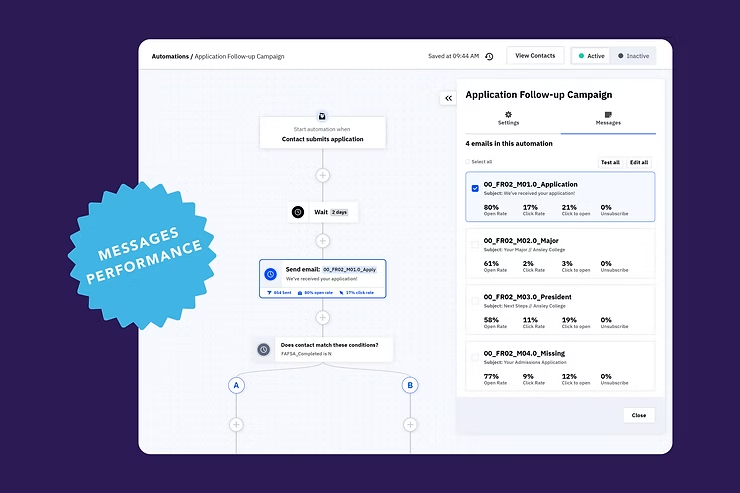
We’re excited to announce the introduction of Messaging Performance, a groundbreaking approach to analyzing and optimizing your email messages within automations.
New Automation Settings: Descriptions
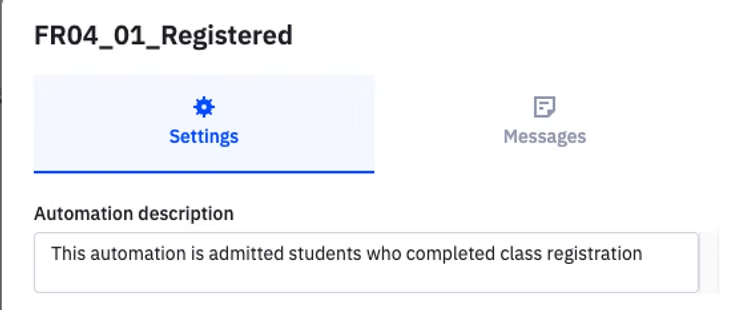
We are introducing several new updates to the CRM’s automation settings for managing key automation rules. This update will provide you with greater control over how contacts enter, move through, and exit automations, making it easier to optimize your workflows.
New Reporting: Contacts Performance

The new Contacts Performance Report offers aggregated data on contacts and insights into the tags, or sources applied to them.